 Blogging can be crazy time consuming. Even if you’re a prolific writer, keeping track of all the ideas, tasks, files, references, etc. can be daunting.
For all its promise of bringing a brighter future, blogging can be a lot of grunt work. Which is why you want to have a system to make that grunt work bearable, and be able to focus on the good stuff, the creative work.
Existing solutions
Free Blog Management Tools
We’ve all done it: a spreadsheet as an Editorial Calendar, Dropbox for assets, maybe Google Drive and Docs for both if collaborating with other writers or virtual assistant.
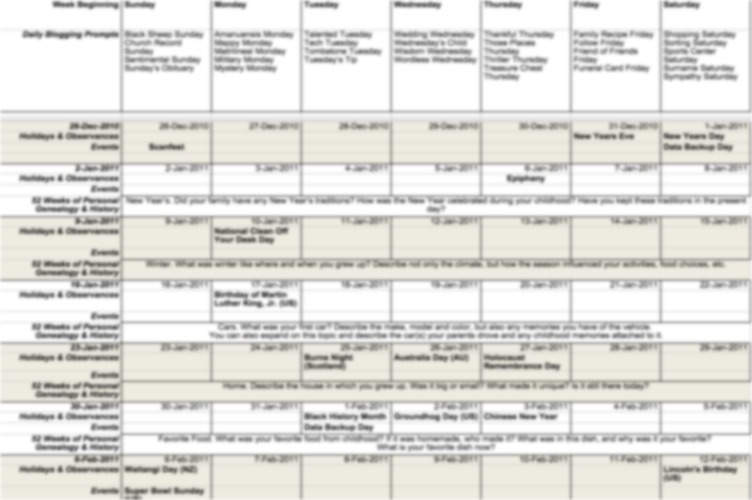
Home-grown Editorial Calendar Spreadsheet
These homegrown systems are great to start with, but the challenge with them is that, as you grow, they start falling short.
If you’re using a system like this with a team, everyone must agree on how to name and change things. Pretty soon you need a fairly complex system of color coding on the spreadsheet, while your files live in their own world of inconsistently-named folders. To say it becomes unwieldy is quite the understatement.
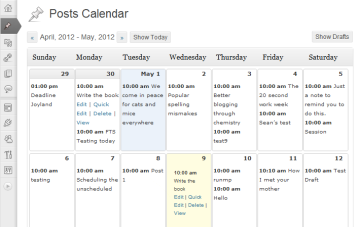
WordPress Editorial Calendar Plugin
If you’re using WordPress, perhaps you’ve tried the aptly named Editorial Calendarplugin. This is a great, no cost solution for a lot of bloggers. The problems I see with a plugin like this are:
- You are mixing your operational systems with your blog.
- Does not allow for delegation of tasks, or reminders.
- Does not allow for storage of media and other resources (you need an additional place to save your original files, images, etc.)
- One can’t help but think what will happen in the long term to a company that does not make any money, and thus, if the product if a good long-term solution.
You’ll also need one in every single blog you keep or write for. What if you can’t have it installed? Then you’re back to a spreadsheet.
Commercial Blogging Management
You could subscribe to a commercial service. Those can be had for as little as $10/month per blog. Again, may not play nice with other blogs you write for, and there’s the matter of budget. If you’re not making money with your blog, it can be hard to justify the expense.
For me, the biggest drawback of commercial solutions is they tend to be too rigid, so one ends up adjusting the workflow to the tool, as opposed to the tool being adjusted to the workflow.
Blogging Can Be Easier
There’s no need to blog like that.
Blogging Management System With Podio
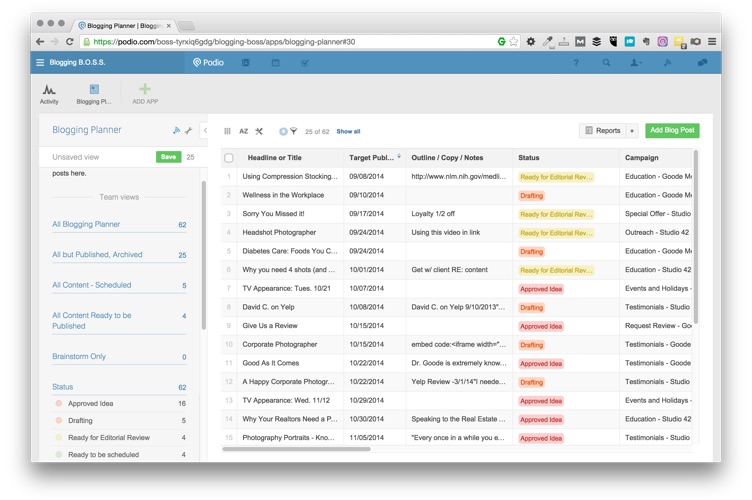
Free Editorial Calendar Blog Management System Using Podio
- It’s Solid – Podio is owned by Citrix Systems a giant in cloud services, so I can count on them sticking around once I commit to this tool.
- It’s Mobile – Podio has one of the best mobile apps (iOS and Android) in the market. Crazy fast sync with the cloud service, and fully functional.
- It’s Flexible – Podio is both customizable and expandable. At its heart it’s a superb task management tool, but you can create your “apps” to satisfy other business needs.
- It’s Free – Yep, free. Not “Free” as is “Try Free For A While” Free. Free free, up to five users with the same domain (calls them “employees”) and five outside guests.
I made a short video to showcase the app I made for blogging. Watch it and learn how to get your own (for FREE):
Please comment below or and subscribe to this blog to be notified of additional tools I plan on sharing here and in my newsletter.
I hope you enjoy it,